
Quick answer: The best gaming mouse in the UAE for most players is the KGaming K18 (AED 199) – a 58.5 g ultralight wireless mouse with an 8,000Hz polling rate and up to 26,000 DPI. For a premium all-rounder choose the Logitech G502 LIGHTSPEED (AED 297.25) with 11 programmable buttons, and on a tight budget the KGaming Aura Strike (AED 61) is the best wired RGB gaming mouse.
Key takeaways
- Sensor and polling rate matter more than max DPI: most pros play between 400 and 1,600 DPI.
- 2026 trends: ultralight shells (under 70 g), tri-mode wireless and 4K–8K polling rates.
- Choose by grip: palm grip suits larger mice; claw and fingertip grips suit smaller, lighter mice.
- Wireless is now as fast as wired when it uses a 2.4 GHz receiver – Bluetooth is for laptops and travel.
- Prices at YaKaram: gaming mice from AED 61 to AED 323.50, Cash on Delivery across the UAE.
Your gaming mouse is your aim. In fast shooters like Valorant, CS2, Fortnite and Call of Duty, a precise sensor, a light shell and low latency can be the difference between winning and losing a duel. In this guide we compare the six gaming mice we sell at YaKaram Electronics in Dubai – from budget wired RGB mice to 8K wireless esports mice – and explain the specs that really matter, so you buy once and buy right.
Quick picks: best gaming mice in the UAE (2026)
| Award | Gaming mouse | Connection | Price |
|---|---|---|---|
| Best overall | KGaming K18 8K | Tri-mode wireless | AED 199 |
| Best premium | Logitech G502 LIGHTSPEED | 2.4 GHz wireless | AED 297.25 |
| Best high-DPI wireless | Alienware AW620M | Tri-mode wireless | AED 323.50 |
| Best budget wireless | KGaming KO3 | Tri-mode wireless | AED 129 |
| Best budget wired | KGaming Aura Strike | Wired USB | AED 61 |
| Best for beginners | KGaming Space Star | Wired USB | AED 63.10 |
How we chose
We compared each mouse on sensor accuracy (DPI range, tracking speed and acceleration), polling rate, weight and shape, connection options, switch durability, battery life and value in AED. Specifications come from Logitech, Alienware and KGaming official product information.
The 6 best gaming mice in the UAE
 Best overall
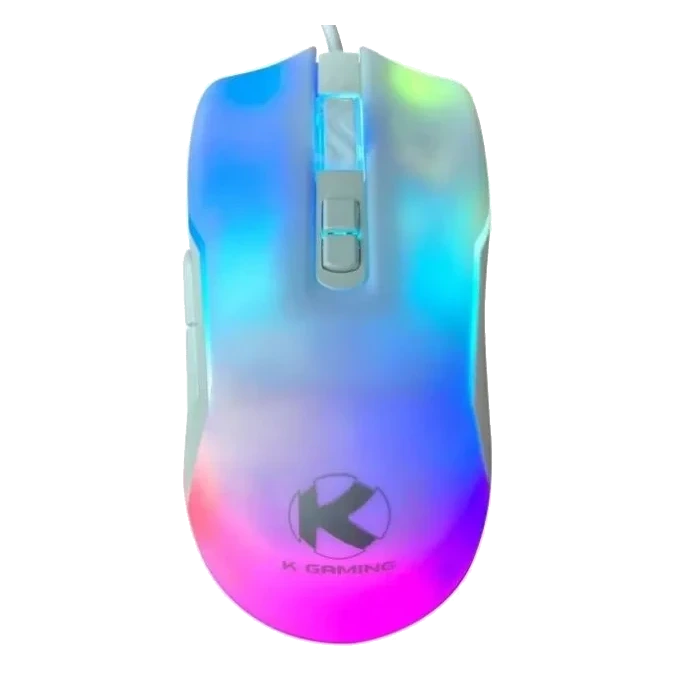
1. KGaming K18 8K Tri-Mode Wireless Gaming Mouse
Best for: competitive FPS players who want esports specs on a budget
The K18 brings 2026 flagship features to an affordable price: an 8,000Hz polling rate, up to 26,000 DPI, 650 IPS tracking, 50 g acceleration and an ultralight 58.5 g shell. Huano switches are rated for 80 million clicks, and you can play wired, on 2.4 GHz or over Bluetooth.
- 8,000Hz polling for ultra-low latency
- Ultralight 58.5 g
- White or Black
- Small 400 mAh battery at 8K polling
- Few side buttons compared with MMO mice
Specs: 26,000 DPI · 8000Hz · 58.5 g · 118.5 x 66.5 x 42 mm
 Best premium
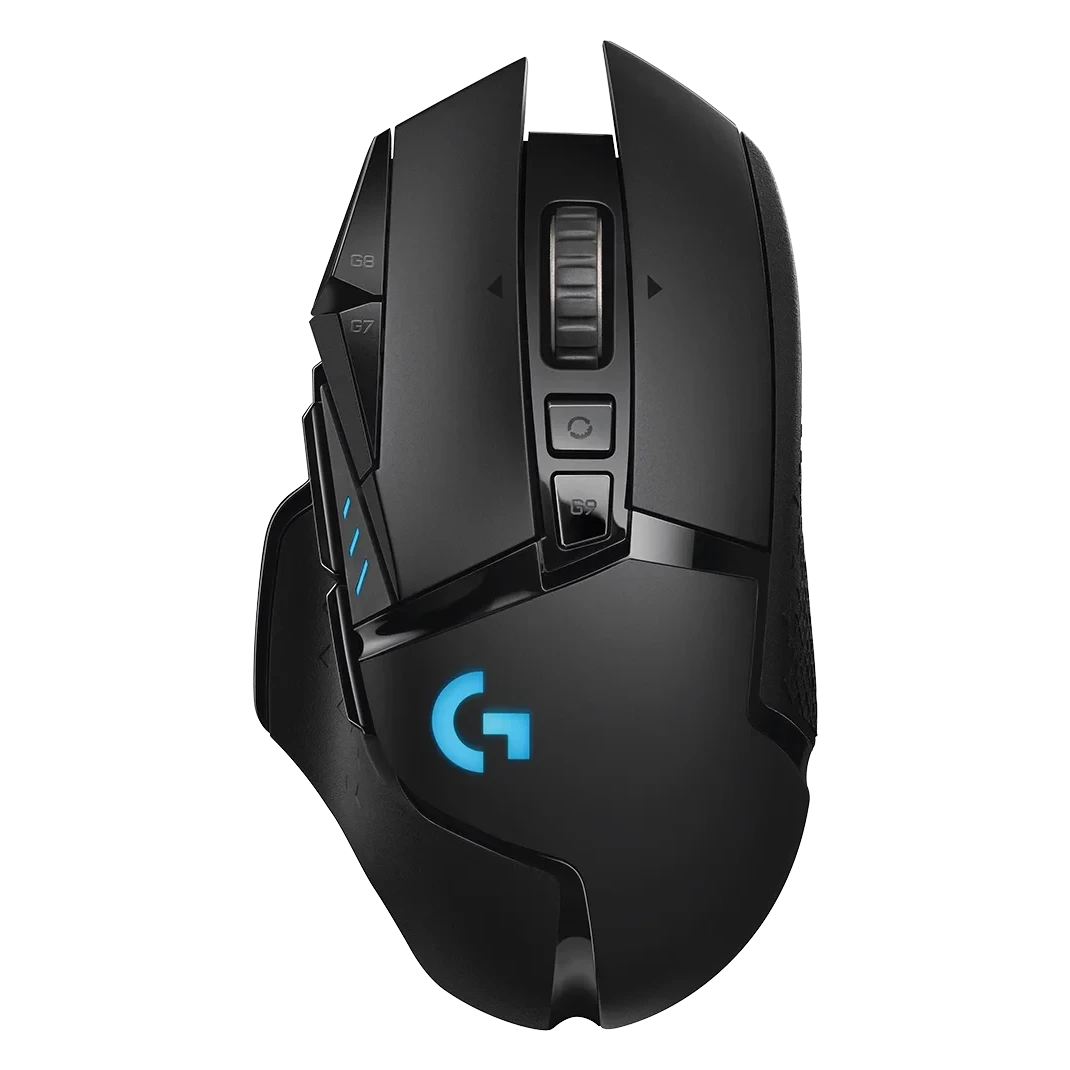
2. Logitech G502 LIGHTSPEED Wireless Gaming Mouse
Best for: palm-grip gamers who want lots of buttons
The G502 is a legend for a reason. The HERO 25K sensor tracks from 100 to 25,600 DPI, LIGHTSPEED wireless runs at 1 ms, and 11 programmable buttons plus a hyper-fast scroll wheel make it great for FPS, MMO and productivity. Adjustable weights let you tune the feel.
- 11 programmable buttons
- Proven HERO 25K sensor
- Adjustable weights, LIGHTSYNC RGB
- Heavy at 114 g+
- Large shape is not ideal for small hands
Specs: 25,600 DPI · 1000Hz · 114 g (+16 g) · up to ~60 h battery
 High-DPI pick
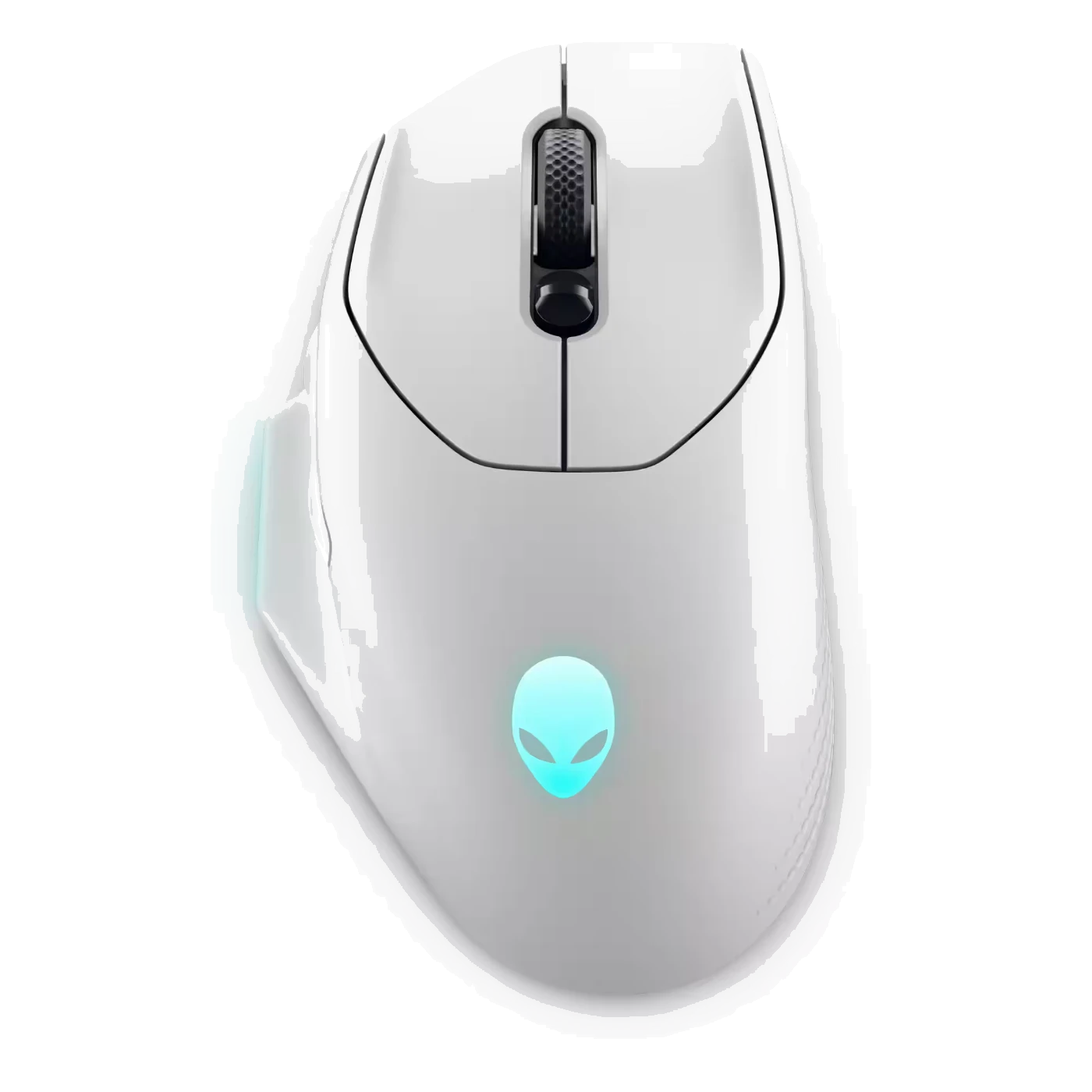
3. Alienware AW620M Wireless Gaming Mouse
Best for: Alienware setups and players who want a premium tri-mode mouse
The AW620M pairs a 26,000 DPI optical sensor with 2.4 GHz wireless, Bluetooth and USB-C wired modes, seven programmable buttons and AlienFX RGB lighting that syncs with Alienware Command Center.
- 26,000 DPI optical sensor
- Tri-mode connectivity
- Premium Alienware design
- Highest price in this list
- 1000Hz polling (not 8K)
Specs: 26,000 DPI · 1000Hz · 7 buttons · USB-C charging
 Budget wireless
4. KGaming KO3 Tri-Mode Wireless Gaming Mouse
Best for: students and casual gamers who want wireless on a budget
The KO3 uses the proven PixArt 3335 sensor (up to 16,000 DPI), tri-mode wireless and a 600 mAh battery. Its replaceable Huano switches mean you can refresh the clicks later instead of replacing the mouse.
- PixArt 3335 sensor
- Replaceable switches
- Bold yellow look
- 82.5 g – heavier than the K18
Specs: 16,000 DPI · 1000Hz · 82.5 g · 600 mAh
 Best budget
5. KGaming Aura Strike RGB Wired Gaming Mouse (E-GM128)
Best for: first-time PC gamers on a tight budget
For about AED 60 the Aura Strike gives you six DPI steps up to 12,800, a 1000Hz polling rate, seven buttons, RGB lighting and a braided cable with a magnetic ring – everything you need to start gaming.
- Very affordable
- 12,800 DPI, 1000Hz
- Braided cable
- Wired only
- 10M-click switches
Specs: 12,800 DPI · 1000Hz · 7 buttons · 125 x 64.5 x 39 mm
 Beginners
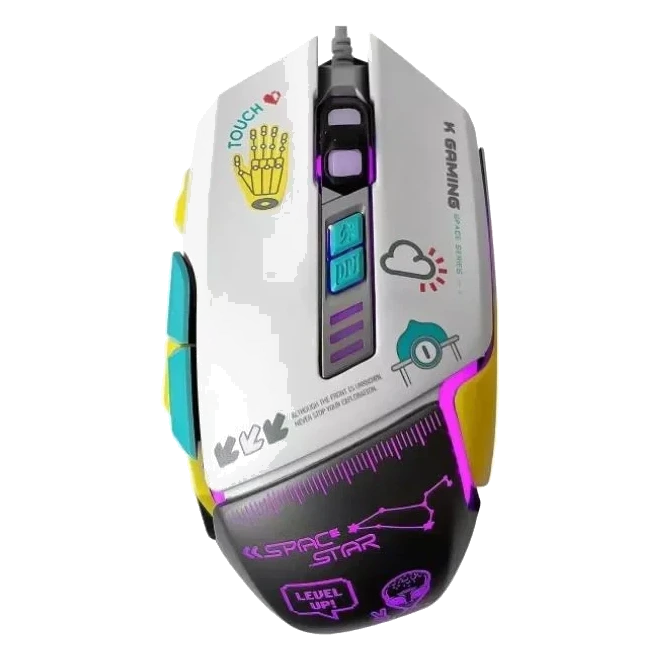
6. KGaming Space Star RGB Wired Gaming Mouse (M202)
Best for: beginners and kids starting on PC
A simple, comfortable wired mouse with four DPI steps up to 7,200 and 4-colour LED lighting. It is also included in the KMP03-B 3-in-1 bundle if you need a keyboard and pad too.
- Comfortable larger shape
- Plug-and-play
- Low price
- Max 7,200 DPI
- Basic lighting
Specs: 7,200 DPI · USB · 135 x 73.5 x 44.5 mm
Gaming mouse specs comparison
| Mouse | Max DPI | Polling | Weight | Connection |
|---|---|---|---|---|
| KGaming K18 | 26,000 | 8,000Hz | 58.5 g | Wired / 2.4 GHz / BT |
| Logitech G502 LIGHTSPEED | 25,600 | 1,000Hz | 114 g | 2.4 GHz |
| Alienware AW620M | 26,000 | 1,000Hz | – | Wired / 2.4 GHz / BT |
| KGaming KO3 | 16,000 | 1,000Hz | 82.5 g | Wired / 2.4 GHz / BT |
| KGaming Aura Strike | 12,800 | 1,000Hz | – | Wired |
| KGaming Space Star | 7,200 | – | – | Wired |
DPI, sensor and polling rate explained
What is DPI?
DPI (dots per inch) is how far the cursor moves for every inch you move the mouse. Higher DPI is not automatically better: most competitive FPS players use 400–1,600 DPI with low in-game sensitivity for precise aim, while high DPI helps on 4K monitors and for desktop work.
Sensor quality: IPS and acceleration
IPS (inches per second) is the fastest movement the sensor can track, and acceleration (g) is how quickly it can change speed without losing track. A good gaming sensor tracks 400+ IPS and 40 g or more – every wireless mouse in this list does.
What is polling rate?
Polling rate is how often the mouse reports its position to the PC. 1,000Hz (1 ms) is the standard; 8,000Hz (0.125 ms) on the K18 feels smoother on high-refresh monitors such as a 280Hz gaming monitor, but uses more battery and CPU.
Palm, claw or fingertip grip?
| Grip | How you hold it | Best shape | Our picks |
|---|---|---|---|
| Palm grip | Whole hand rests on the mouse | Large, ergonomic | G502 LIGHTSPEED, Space Star |
| Claw grip | Palm touches the back, fingers arched | Medium, light | K18, KO3, AW620M |
| Fingertip grip | Only fingertips touch | Small, ultralight | K18, Aura Strike |
Not sure? Measure your hand from wrist to fingertip: under 17 cm usually suits smaller mice and claw or fingertip grip; over 19 cm usually suits larger palm-grip mice.
Wired vs wireless gaming mouse
Modern wireless gaming mice with a 2.4 GHz receiver are as responsive as wired mice and remove cable drag. Tri-mode mice (K18, KO3, AW620M) add Bluetooth for laptops and a cable for charging while you play. Wired mice (Aura Strike, Space Star) never need charging and cost less – a smart choice for a first setup.
Best gaming mouse settings for FPS games
- Set DPI to 800 or 1,600 and adjust in-game sensitivity instead.
- Turn off “Enhance pointer precision” in Windows mouse settings to remove acceleration.
- Use 1,000Hz polling (or 4K–8K on the K18 if your PC handles it).
- Use a cloth mouse pad such as the KGaming Glide or Logitech G740 for consistent tracking.
- Plug the receiver close to the mouse using a front USB port or extension.
Complete your setup
- Best gaming keyboards in the UAE – mechanical, tri-mode, Arabic/English.
- Best gaming headsets in the UAE – wireless, ANC and 7.1 surround.
- Gaming mouse pads and XXL desk mats.
- Need a work mouse instead? Read MX Master 4 vs MX Master 3S.
Browse every wireless and gaming mouse in the UAE or shop KGaming and Logitech.
Frequently asked questions
What is the best gaming mouse in the UAE?
For most players the KGaming K18 is the best gaming mouse in the UAE: it has an 8,000Hz polling rate, up to 26,000 DPI and weighs only 58.5 g for AED 199. For more buttons choose the Logitech G502 LIGHTSPEED.
What DPI is best for gaming?
Most FPS players use 400 to 1,600 DPI with a low in-game sensitivity. Higher DPI is useful on high-resolution monitors but does not make you aim better on its own.
Is a wireless gaming mouse good for gaming?
Yes. Wireless gaming mice that use a 2.4 GHz receiver, such as the K18, G502 LIGHTSPEED and AW620M, have latency comparable to wired mice.
What is polling rate and do I need 8K?
Polling rate is how often the mouse reports to your PC. 1,000Hz is enough for most players; 8,000Hz feels smoother on 240Hz+ monitors but uses more battery and CPU.
Is a lightweight gaming mouse better?
Lightweight mice (under 70 g) are easier to flick and lift, which helps in fast shooters. Heavier mice like the G502 feel more stable for some players and suit palm grip.
What is the best budget gaming mouse?
The KGaming Aura Strike (AED 61) is the best budget wired gaming mouse, and the KGaming KO3 (AED 129) is the best budget wireless option.
Which gaming mouse is best for claw grip?
Medium, lightweight mice suit claw grip best – the KGaming K18 and KO3 are good choices.
Can I pay cash on delivery for a gaming mouse in Dubai?
Yes. Every order at YaKaram Electronics is Cash on Delivery across the UAE, with free delivery over AED 400 and 14-day returns.
Upgrade your aim today
Order online or on WhatsApp and pay when it arrives – delivery to Dubai, Abu Dhabi, Sharjah and every emirate.
Sources: specifications from Logitech, Alienware and KGaming official product information. Prices checked at YaKaram on 6 November 2026.