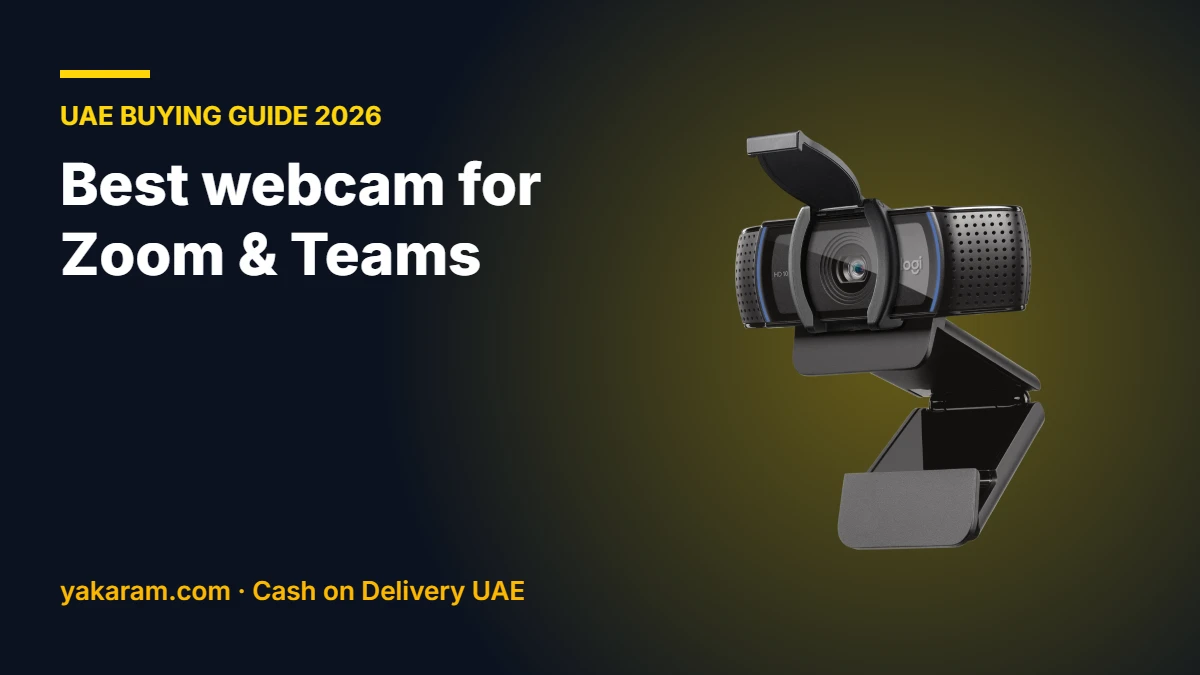
Quick answer: For most people in the UAE the best webcam for Zoom and Microsoft Teams in 2026 is the Logitech C920 Pro HD – 1080p video, autofocus and stereo microphones. On a tighter budget pick the Logitech Brio 105 (1080p with a privacy shutter) or the C270 (720p). For business calls choose the C925e, and for the sharpest picture, HDR and Windows Hello face login choose the Logitech BRIO 4K.
Key takeaways
- 1080p at 30 fps is enough for Zoom, Teams and Google Meet – most calls are sent at 720p or 1080p anyway.
- Lighting matters more than megapixels: look for automatic light correction (Logitech RightLight) or HDR if your room is dim or backlit.
- A built-in privacy shutter is worth having for home offices and shared rooms.
- Field of view decides what people see: 55–65° keeps the focus on your face, 78–90° shows more of the room.
- Choose 4K only if you stream, record videos or want Windows Hello face sign-in.
Best webcams in the UAE compared (2026)
| Webcam | Video | Field of view | Focus | Microphone | Privacy shutter | Best for |
|---|---|---|---|---|---|---|
| Logitech C270 | 720p / 30 fps | 55° | Fixed | Mono | No | Students, basic calls |
| Logitech Brio 105 | 1080p / 30 fps | 58° | Fixed | Mono | Yes | Home office on a budget |
| Logitech C920 Pro HD | 1080p / 30 fps | 78° | Auto | Stereo | No | All-round, streaming |
| Logitech C925e | 1080p / 30 fps, 720p / 60 fps | 78° | Auto | Dual | Yes | Business meetings |
| Logitech BRIO 4K | 4K / 30, 1080p / 60 fps | 90° / 78° / 65° | Auto | Dual | Clip-on | Creators, executives |
| Logitech MX Brio | 4K / 30 fps | Adjustable | Auto | Dual | Yes | Premium home office |
Best webcams by use
1. Best overall: Logitech C920 Pro HD
The C920 has been one of the most popular webcams in the world for years, and it is still the safest choice for Zoom, Teams and online classes. It records and streams in Full HD 1080p, has autofocus with a glass lens, a 78° field of view and stereo microphones that sound more natural than most laptop mics.
- Sharp 1080p with autofocus
- Stereo mics, tripod-ready clip
- No built-in privacy shutter
- No HDR for strong backlight
2. Best budget 1080p: Logitech Brio 105
The Brio 105 gives you 1080p video, RightLight 2 automatic light balance and an integrated privacy shutter in a simple plug-and-play USB-A webcam. The 58° field of view keeps the focus on your face, which suits small bedrooms and home offices in Dubai apartments.
- 1080p and privacy shutter
- Plug and play
- Fixed focus
- Single microphone
3. Cheapest reliable webcam: Logitech C270
If you only need a camera for school, WhatsApp desktop or occasional calls, the C270 delivers 720p/30 fps with automatic light correction and a built-in mic that picks up voice up to 1 metre away.
4. Best for business meetings: Logitech C925e
The C925e is built for offices: 1080p with autofocus, RightLight 2, dual omni-directional mics, a built-in privacy shutter and H.264 encoding that reduces load on your computer and network – useful on busy office Wi-Fi.
5. Best image quality: Logitech BRIO 4K HDR
The BRIO records 4K at 30 fps or 1080p at 60 fps, uses RightLight 3 with HDR for rooms with a bright window behind you, zooms up to 5× and lets you choose a 90°, 78° or 65° field of view. Its infrared sensor also supports Windows Hello face sign-in.
- 4K, HDR, 5× zoom
- Windows Hello
- Overkill for simple calls
- Needs a fast USB port and good bandwidth for 4K
How to choose a webcam for Zoom and Teams
Resolution and frame rate
Zoom and Teams usually send video at 720p or 1080p, so a 1080p/30 fps webcam is the sweet spot for meetings. 60 fps looks smoother for streaming and presentations, and 4K is mainly useful for recording, cropping and digital zoom.
Low-light performance
Many UAE homes have bright windows and dim interiors. Features like Logitech RightLight 2/3 and HDR balance the exposure so your face is not too dark against the window.
Field of view
A narrow 55–65° field of view hides your room and keeps the frame tight on you. A wider 78–90° view is better for two people on one camera or for showing a whiteboard.
Microphone
Webcam mics are fine for quiet rooms. In open offices or shared homes, pair the webcam with a headset such as the Logitech H390, Zone 305 or Dell Pro WL3024 for clearer voice.
Privacy and compatibility
A physical privacy shutter is the simplest way to block the camera. All the webcams above work as standard USB cameras on Windows, macOS and ChromeOS with Zoom, Microsoft Teams, Google Meet and WhatsApp desktop.
6 setup tips for better video calls
- Place the webcam at eye level – on top of the monitor, not below it.
- Face a window or lamp; avoid bright light behind you.
- Use a wired internet connection or sit close to the router for 1080p.
- Select the webcam and microphone manually in Zoom or Teams settings.
- Use Logi Tune or Logitech G HUB to adjust zoom, colour and exposure.
- Close the privacy shutter when you are not on a call.
Our verdict
Buy the Logitech C920 Pro HD if you want one webcam that does everything well. Choose the Brio 105 for a budget 1080p camera with a shutter, the C925e for office meetings and the BRIO 4K for the best picture. Browse all webcams in the UAE or message us on WhatsApp for today’s price and stock.
FAQ
What is the best webcam for Zoom in the UAE?
The Logitech C920 Pro HD is the best all-round choice: 1080p, autofocus and stereo mics. The Brio 105 is a cheaper 1080p option with a privacy shutter.
Is 1080p enough for Microsoft Teams?
Yes. Teams and Zoom usually send 720p or 1080p video, so a 1080p webcam gives a clear picture in meetings.
Do I need a 4K webcam?
Only if you stream, record video, want HDR in difficult lighting or need Windows Hello face login. For normal calls 1080p is enough.
Which Logitech webcam has a privacy shutter?
The Logitech Brio 105, C925e and MX Brio have built-in privacy shutters. The BRIO 4K uses a clip-on privacy shade.
Do these webcams work with Mac?
Yes. They work as standard USB webcams on macOS, Windows and ChromeOS.
How can I check the price of a webcam at YaKaram?
Message us on WhatsApp at +971 50 461 4775 with the model name. We reply with today’s price, stock and delivery time, and you can pay Cash on Delivery anywhere in the UAE.
Shop webcams in the UAE
Logitech C270, Brio 105, C920, C925e, BRIO 4K and MX Brio – genuine stock, Cash on Delivery across all seven emirates.